PEERSTITCH: How One Hacked FortiManager Exposed 500 Firewalls at a Telco MSP
Attackers broke into a telco MSP's FortiManager through CVE-2024-47575, stole configs and keys for 500+ FortiGates, then used a FortiOS path traversal flaw to plant PEERSTITCH, a memory-only implant. Here is what happened, what to patch, and how to hunt for it.
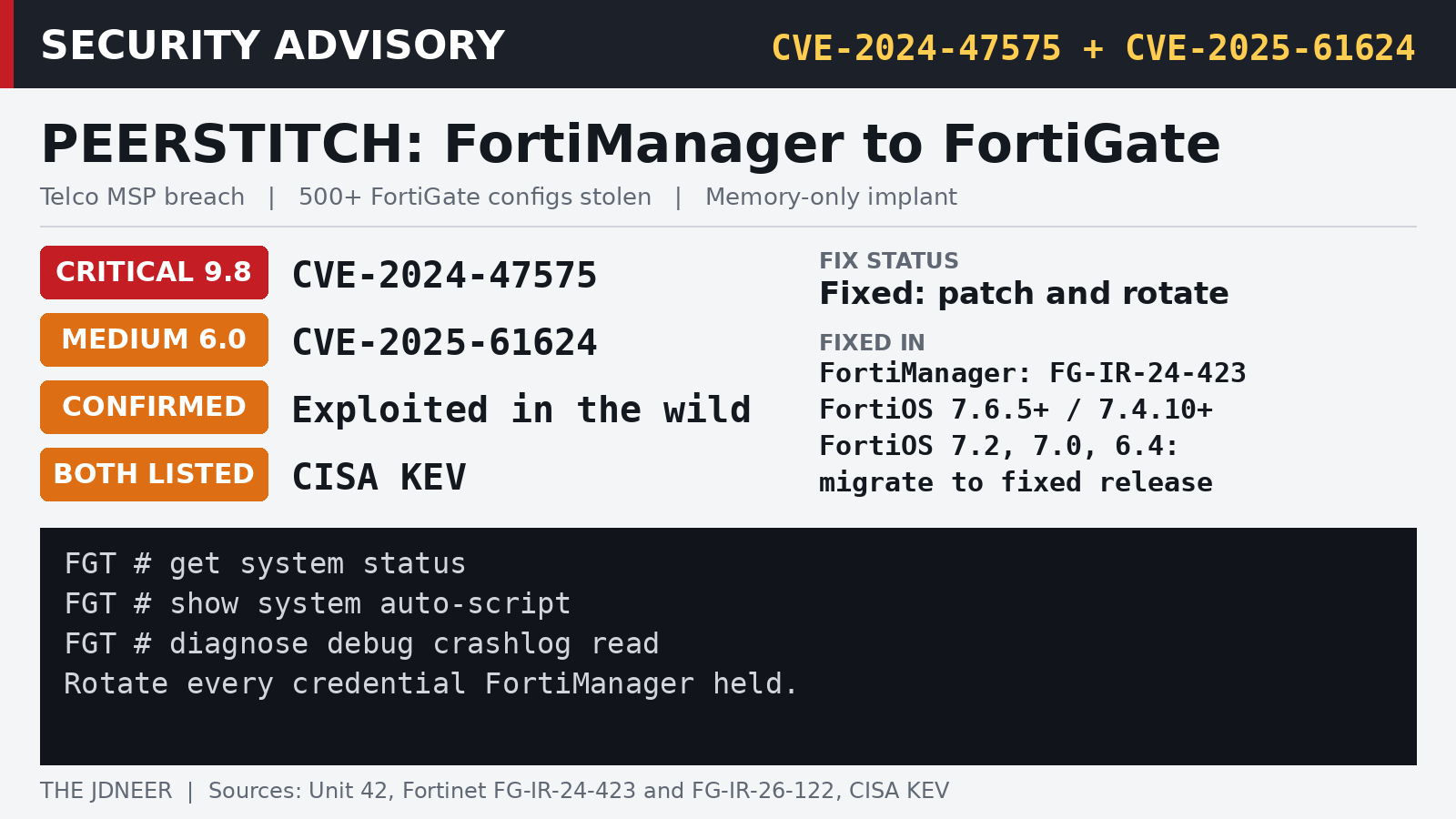
If you manage firewalls for other people, the box that manages them is the most valuable thing on your network. A new investigation from Palo Alto Networks' Unit 42 shows exactly why. Attackers broke into a single FortiManager appliance at a telecommunications managed service provider and walked away with the configurations, credentials, and cryptographic keys for more than 500 FortiGate firewalls, including ones protecting the provider's clients. Later they planted a new, memory-only implant that Unit 42 calls PEERSTITCH (Unit 42).
The lesson for MSPs comes first, because it is the part that will still matter after the headlines fade. Patch FortiManager. Keep its management interface off the internet. And if there is any chance it was compromised, rotate every credential, key, and certificate it held, because patching alone does not take back what already left the building. As Unit 42 puts it, a compromise of the management platform "does not end when the platform is patched."
One appliance, 500 firewalls
Unit 42 says the intrusion happened in September 2024 and tracks the activity as CL-STA-0954, which it says is also known as UNC5820. Mandiant tracked UNC5820 exploiting FortiJump from as early as June 27, 2024, and investigated more than 50 potentially compromised FortiManager devices. The attackers got in through CVE-2024-47575, the FortiManager flaw widely called FortiJump. Fortinet's advisory describes it as a missing authentication bug in FortiManager's fgfmd daemon that lets a remote, unauthenticated attacker run code or commands with crafted requests. Fortinet's CVE record scores it 9.8 out of 10.
The attackers registered a rogue virtual FortiGate named "localhost" with the provider's FortiManager, then created and stole an archive. According to Unit 42, it held full running configurations for more than 500 managed FortiGates, the central management databases, a list of firewall serial numbers with their public IP addresses, network topology and routing details, encrypted admin and SSL VPN credentials, and certificates and private keys. Unit 42 says it examined only the provider's own environment and did not investigate the client networks, so what is confirmed is exposure of configuration and credential material, not intrusions into those clients.
That material was enough to do real damage. Unit 42 says it was able to recover administrative and SSL VPN passwords from the stolen configs by brute force, and the attackers later logged into perimeter firewalls over SSL VPN with legitimate credentials. Before that, they used the compromised FortiManager to push packet capture rules to downstream firewalls, aimed at cleartext traffic and, in a later round, at TFTP, RADIUS, and LDAP.
From admin to root, and an implant that lives in memory
Even a FortiOS super admin normally works inside a restricted command line with no shell. To get past that, the attackers used CVE-2025-61624, a path traversal flaw in the FortiOS command line's system.auto-script engine. It is not a remote or unauthenticated bug: it requires an authenticated administrator with read-write rights, and it turns that admin access into root. By giving an auto-script a name like ../../../../setup, they could write files anywhere on the system and have them run as root (Unit 42). Fortinet's advisory for CVE-2025-61624, first published April 14, 2026, rates it Medium, with a score of 6.0, while NVD scores it 6.5. Fortinet also says it has been exploited in the wild. In a chain like this one, where stolen configs hand attackers admin passwords, a Medium rating undersells the risk.
The script pulled down a small kit from attacker servers, including a native ARM64 binary saved as lldprx, which is PEERSTITCH itself. Unit 42 describes it as a one-shot injector that patches the memory of two core FortiOS daemons, the logging daemon miglogd and the IPsec VPN daemon iked, then deletes itself from disk. It leaves no file behind, opens no listening port, and makes no outbound connections of its own. Instead it rides on traffic the legitimate daemons already generate and builds a hidden channel between them inside process memory, which Unit 42 says lets VPN sessions skip normal FortiOS checks.
The attackers also turned FortiOS's own Apache certificate module, mod_md, into a reverse shell by pointing it at an attacker-run certificate authority and hiding commands in the challenge requests. They covered their tracks by killing logging daemons, clearing crash logs, and deleting rogue accounts and scripts soon after using them. Unit 42 also assesses with medium confidence that the attackers impersonated FortiManager itself to pull configurations from other firewalls, possibly by reusing the stolen trust material. Unit 42 names CVE-2024-26009 as another possible route and CVE-2024-26008 as a possible way the attackers cut the real FortiManager's session, both at medium confidence, and says the evidence does not settle it. SecurityOnline has a shorter summary of the chain.
Which versions are affected, and what fixes them
For CVE-2024-47575, Fortinet's FG-IR-24-423 lists these FortiManager fixes: 7.6.1 or above for 7.6.0, 7.4.5 or above for 7.4.0 through 7.4.4, 7.2.8 or above for 7.2.0 through 7.2.7, 7.0.13 or above for 7.0.0 through 7.0.12, 6.4.15 or above for 6.4.0 through 6.4.14, and 6.2.13 or above for 6.2.0 through 6.2.12. FortiManager Cloud 7.6 is not affected. Cloud 7.4, 7.2, and 7.0 have matching fixes, and Cloud 6.4 users should migrate to a fixed release. Some older FortiAnalyzer models running with the FortiManager feature turned on are affected too. The advisory also lists workarounds, including refusing registration from unknown devices with set fgfm-deny-unknown enable under config system global, and allowing only known FortiGate IP addresses to reach port 541.
For CVE-2025-61624, Fortinet's FG-IR-26-122 says FortiOS 7.6.0 through 7.6.4 should move to 7.6.5 or above, and 7.4.0 through 7.4.9 to 7.4.10 or above. FortiOS 7.2, 7.0, and 6.4 are affected in all versions, and Fortinet's advice there is to migrate to a fixed release. FortiProxy, FortiPAM, and FortiSwitchManager are affected as well, with their own fixed versions in the advisory.
CISA added CVE-2024-47575 to its Known Exploited Vulnerabilities catalog on October 23, 2024. CISA added CVE-2025-61624 to the catalog on October 16, 2026, with a remediation due date of October 19 for U.S. federal agencies and a flag requiring forensic triage, according to the KEV catalog.
Are you affected?
Start with versions. On each FortiGate and on FortiManager, get system status shows the running firmware; compare it with the fixed releases above. Then check the FortiGate configuration for the auto-script trick and for crash evidence:
get system status
show system auto-script
diagnose debug crashlog read
show system admin
Any auto-script whose name contains ../, segmentation faults in miglogd, iked or syslogd, or an unexpected FortiGateCloud admin account deserve a closer look. If your FortiManager was ever exposed while unpatched, treat every credential, key and certificate it managed as compromised and rotate them, even if nothing shows up.
Deeper hunting
Because PEERSTITCH lives only in memory, ordinary file scans will not find it. Unit 42 suggests hunting in a few places:
- Memory maps of
/bin/miglogdand/bin/ikedshowing anonymous 16 KB regions that are readable, writable, and executable. - Patched code in those daemons at the offsets Unit 42 lists, and any process writing into another process's memory through
/proc/<pid>/mem. - Segmentation fault crashes involving
miglogd,iked, orsyslogdindiagnose debug crashlog read. - Configuration revisions with
system.auto-scriptobjects whose names contain../. - An unexpected administrator account named
FortiGateCloud. Unit 42 says an account by that name pulled full configurations from managed firewalls even though the victim had no FortiManager Cloud tenant.
On the FortiManager side, Fortinet's advisory lists these indicators for FortiJump:
- Log entries with
msg="Unregistered device localhost add succeeded". Fortinet notes that on an already patched FortiManager, this may only mean a failed attempt. - The rogue device serial numbers FMG-VMTM23017412, FMG-VMTM19008093, and FGVMEVWG8YMT3R63. Unit 42 says the device in this case used FMG-VMTM23017412.
- The files
/tmp/.tmand/var/tmp/.tm, though Fortinet says file indicators may not appear in every case.
Unit 42 has published file hashes, network indicators, and a YARA rule. The network indicators include 23.240.77[.]233 and 47.18.167[.]159, which hosted the installer and malware, and 45.32.41[.]202 and 198.199.122[.]22, tied to the rogue FortiGate registration. Payloads were served on ports 8084 and 8085. The SHA-256 hash for the core PEERSTITCH injector is b9fb0b27ddd59b58d3ae53c7227298a3e0de1e6f868b9429ae21533bb9cd1e70. The full list and the YARA rule are in the Unit 42 report.
Unit 42's closing advice is blunt, and it applies far beyond Fortinet shops. Treat edge management interfaces with the strictest isolation you can, and treat every credential and certificate they hold as compromised the moment the platform is. For an MSP, the management server is not just one more box. It holds the keys to everyone you look after.