Orca Wants to Be the Workbench for Your Fleet of Coding Agents. Here's What Developers Say
Orca is a free, MIT-licensed desktop app from Stably AI that runs Claude Code, Codex and other coding agents side by side, each in its own git worktree. Developers who use it like the workflow, but warn about token costs, review load and one security gap that is now fixed.

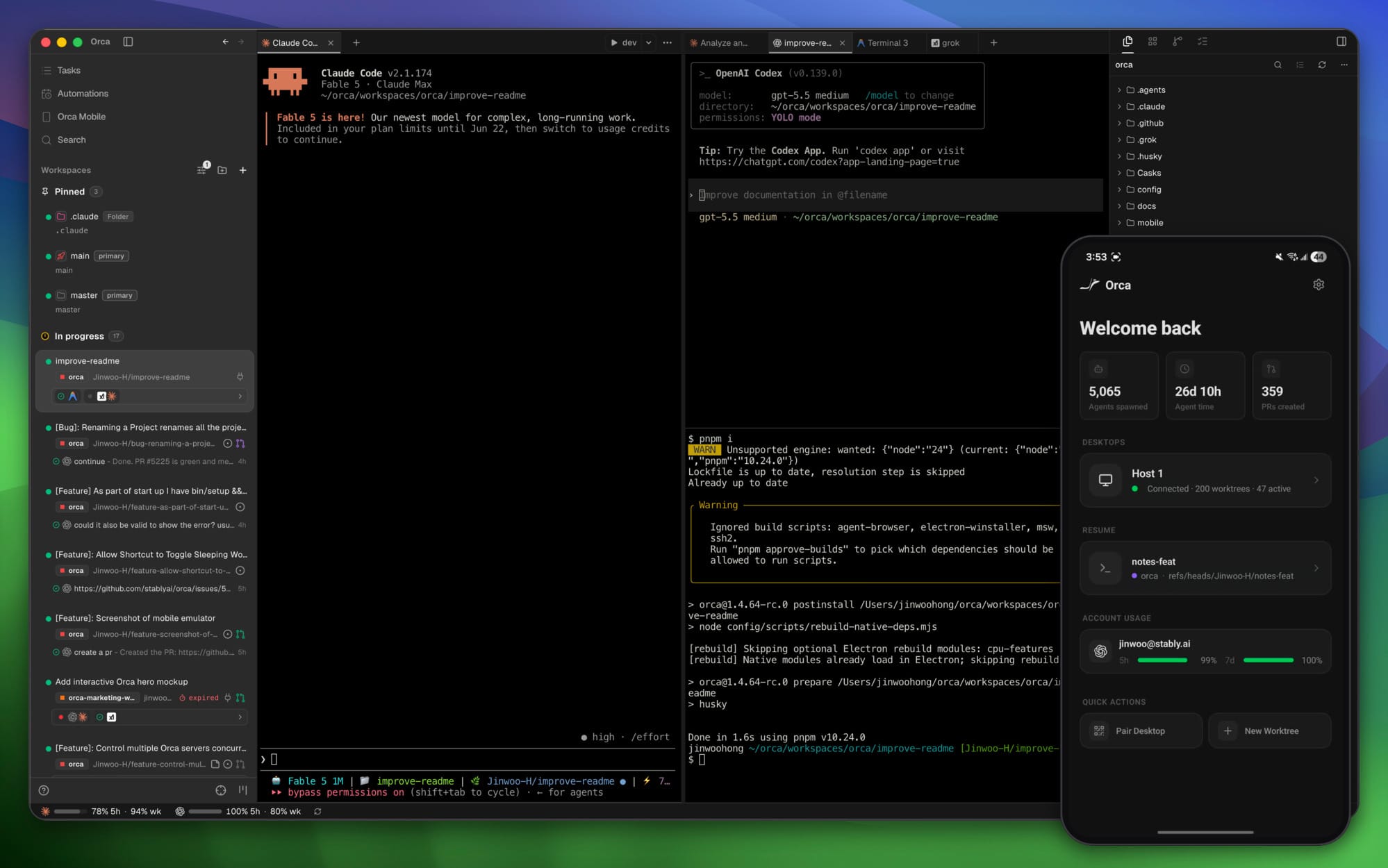
Orca is a desktop app built around a simple idea: if you already run AI coding agents, you should be able to run several of them at once without them tripping over each other. Its maker, Stably AI, calls it an "agent development environment," or ADE. Every task gets its own git worktree, its own agent terminal and its own browser tab, so Claude Code can fix a bug in one worktree while Codex tries a migration in another. The project site says it works with Claude Code, Codex, Grok, Gemini, Cursor, GitHub Copilot, OpenCode and "any other CLI agent."
Orca does not ship a model of its own. According to its documentation, it runs the agents and subscriptions a developer already has, and it is aimed at "people who already write code for a living." The docs are blunt about it: "If you're looking for a no-code tool, Orca is not that."
| Maker | Stably AI, San Francisco (Y Combinator backed) |
| License and price | MIT, free; agents billed by their own providers |
| Desktop | macOS, Windows, Linux (AppImage, .deb, .rpm) |
| Mobile | iOS app, Android APK (companion only) |
| Latest release | v1.4.229, October 17, 2026 |
| Source | github.com/stablyai/orca |
What it does
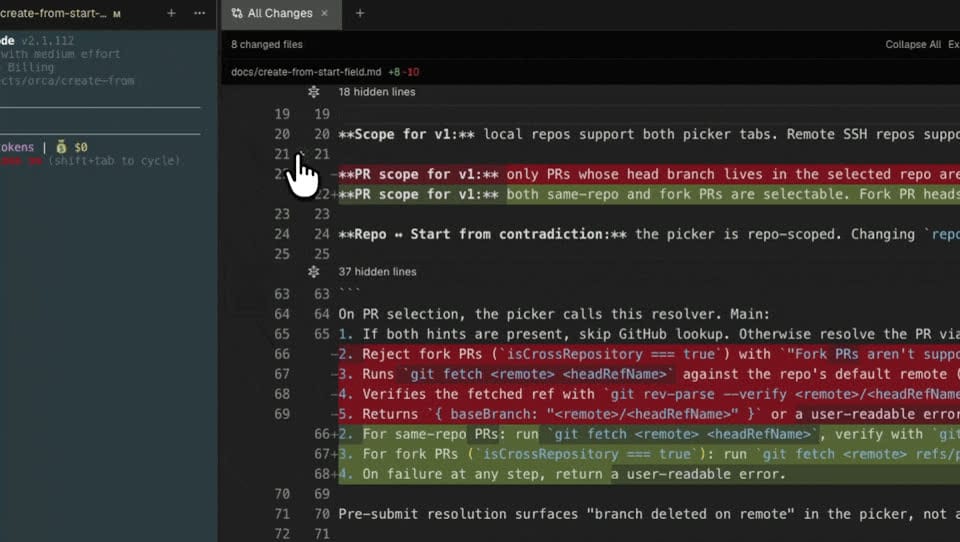
Beyond parallel worktrees, the README lists a diff viewer where developers can leave comments on specific lines and send them back to the agent, an embedded Chromium browser with a "Design Mode" that sends a clicked element's HTML, CSS and a screenshot into the agent's prompt, SSH worktrees for running agents on a remote machine, built-in GitHub and Linear views, and usage tracking for Claude and Codex accounts. An orca command line tool lets agents drive Orca themselves, for example to create worktrees. A mobile companion app shows agent status and lets users send follow-ups from a phone, but it pairs with a running desktop or server and does not work on its own.
The project moves fast. The GitHub repository was created in March 2026, has passed 96,000 stars, and ships desktop releases almost daily. The newest on GitHub is v1.4.229, published October 17. The changelog on the website runs a little behind the GitHub releases page; the README itself calls the GitHub release notes "the real feature list."
What developers report
Orca has not drawn coverage from major tech publications yet, so practical feedback comes mostly from individual developers writing about their own use, plus discussion on GitHub and Hacker News. The testimonials on Orca's homepage are posts the company picked itself, so they are left out here.
The worktree model is the main draw. Developer Angélo Lima, who wrote up six weeks of daily use on October 15, says one worktree per session changed how he works because he no longer has to run tasks one after another. "Code doesn't come out of any single session faster, but nothing waits for the previous one to finish anymore," he writes. He also leans on Orca's scheduled automations for routine jobs such as a weekly pass over Dependabot pull requests.
The phone app gets real use. James Carr, an indie developer who moved to Orca after close to two years on Cursor, pairs it with the Oh My Pi agent harness. "The Orca feature I love most is relay, which lets me run sessions from my phone," he writes, describing kicking off work from his phone and hearing pull requests open later.
It does not lower the bill. Several reviewers raise the same point. Carr notes that "Orca doesn’t make a dent in the model bill, but it lets many worktrees run at once." Lima puts it more directly: "The tool makes parallelism easy. It doesn't make it free." Full-stack engineer Ramón Chancay, in a July review, warns that running one task across several agents multiplies token use, and that with many worktrees open, human review "becomes the bottleneck."
Resources and rough edges. Lima says each worktree carries its own dependencies, such as node_modules, so disk space fills quickly on large projects. He also lists the near-daily release pace as a stability trade-off and points out that "Orca doesn't support VS Code extensions," so he still opens a traditional IDE for heavy manual refactoring with a debugger.
Linux support stood out early. When the team first posted Orca as a Show HN in March, one commenter wrote: "It's been working super well for me. First tool that actually works well on Linux." The Hacker News thread was small, with about 10 comments.
A security concern, and the fix
The most pointed criticism came from developer Martin Tapia, who wrote on September 30 that he ran agents in sandboxed VMs connected to Orca over SSH, then found that the orca command inside a sandbox could list and send commands to any terminal open in his Orca app, including local ones and other SSH hosts. That defeats the point of a sandbox if an agent is hit by a prompt injection. He filed GitHub issue #23835, and maintainer nwparker replied: "It's a valid concern. I think it's a give and take as always." Tapia's verdict on his blog: "So I uninstalled Orca."
Stably did fix it. A pull request titled "deny-by-default caller permissions and a scoped SSH bridge credential" closed the issue on October 8, and the v1.4.224 release notes (October 10) say orca commands on an SSH host now reach only that host's own terminals by default. Broader control is an opt-in per host, under Settings, SSH Hosts, Advanced Connection. Anyone who isolates agents this way should run v1.4.224 or later and leave that switch off for untrusted hosts.
Running Orca with local models
Orca has no model or provider settings of its own. Its supported agents page says it plainly: "the agent combobox just launches a process in a terminal." Running Orca on local models therefore means pointing the coding agent at a local inference server, then launching that agent from Orca's picker as usual. Orca's Settings, Agents page can hold a custom command, default arguments and environment variables for each agent, which is a handy place to keep a local setup apart from a cloud one.
How the agent connects depends on the agent. Claude Code reads ANTHROPIC_BASE_URL, so it works with servers that speak Anthropic's Messages API, including Ollama, LM Studio and llama.cpp's llama-server. Ollama's Claude Code guide uses:
export ANTHROPIC_AUTH_TOKEN=ollama
export ANTHROPIC_API_KEY=""
export ANTHROPIC_BASE_URL=http://localhost:11434
Codex has a built-in local mode. Per OpenAI's configuration docs, codex --oss runs against Ollama or LM Studio, and oss_provider = "ollama" (or "lmstudio") in config.toml sets the default. OpenCode takes any OpenAI-compatible endpoint: its providers docs show a provider block in opencode.json with "npm": "@ai-sdk/openai-compatible" and an options.baseURL such as http://127.0.0.1:8080/v1 for llama-server.
Built-in support for custom endpoints in Orca itself is still a request, not a feature. GitHub issues #9335 (OpenAI-compatible providers) and #9239 (Anthropic-compatible accounts) were both open as of October 18.
Local models also bring the hardware question back. Mini PCs built on AMD's Ryzen AI Max+ 395 (Strix Halo) put up to 128GB of unified memory next to the GPU, enough to load a model like OpenAI's gpt-oss-120b, which ServeTheHome ran at about 45 tokens per second in LM Studio on a Framework Desktop. Framework's DIY Edition configurator listed the 128GB Max+ 395 configuration at $3,449 on October 18 (out of stock at the time), a fraction of what a multi-GPU workstation with that much video memory costs. Memory bandwidth is the real limit: a Level1Techs forum tester measured about 215 GB/s out of a 256 GB/s theoretical peak, so large dense models generate slowly, and mixture-of-experts models are the better fit.
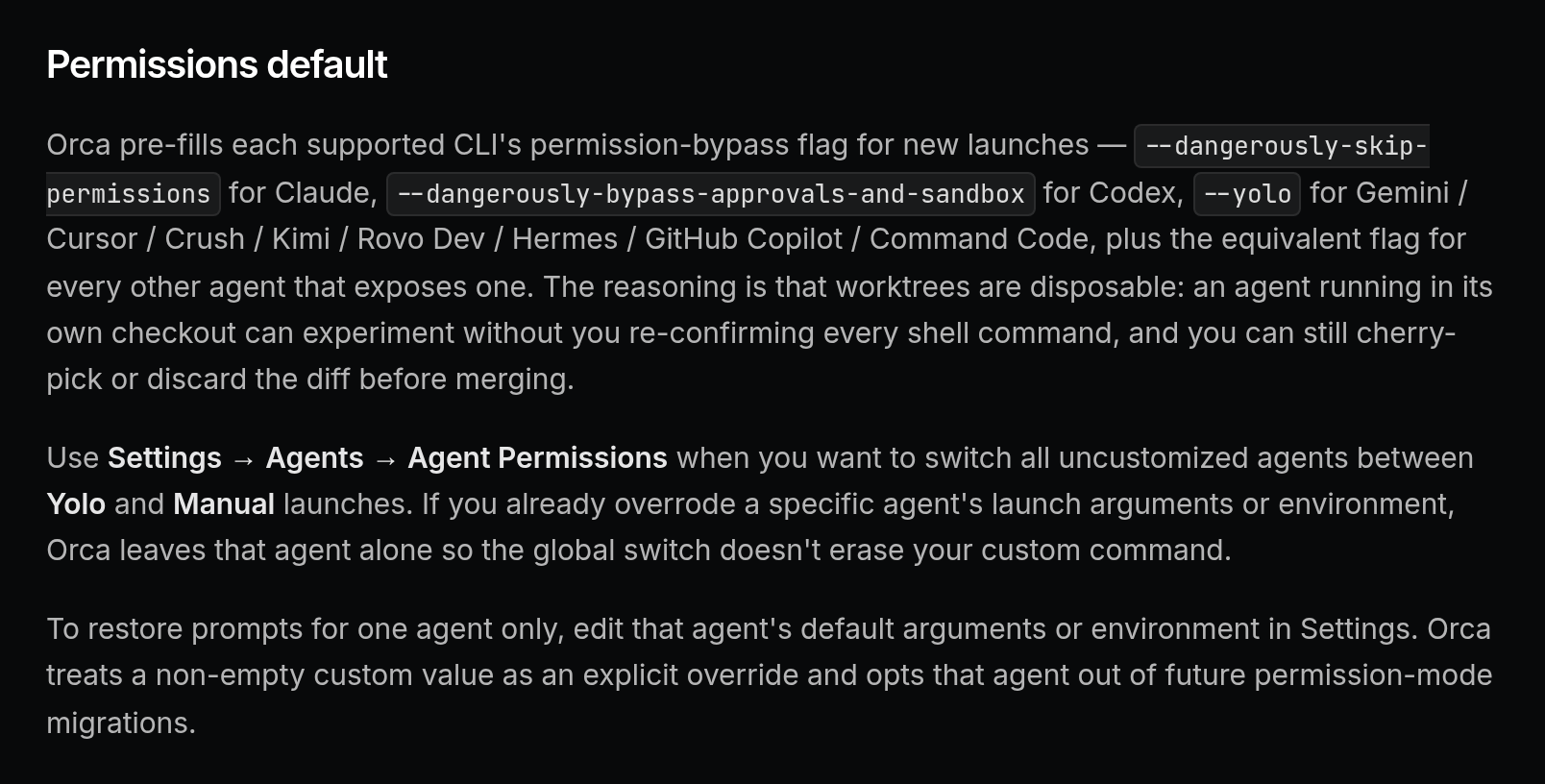
One caveat applies whether the model is local or in the cloud: Orca turns agent permission prompts off by default. The docs say "Orca pre-fills each supported CLI's permission-bypass flag for new launches," such as --dangerously-skip-permissions for Claude Code and --dangerously-bypass-approvals-and-sandbox for Codex. Anyone who wants agents to ask before running commands can switch to Manual under Settings, Agents, Agent Permissions.
Practical takeaways
Who it suits: developers who already pay for one or more coding agents, read every diff before merging, and regularly have several independent tasks going at once. It also fits people who want to check on agents from a phone.
Who should wait: anyone who mostly makes small, linear changes with a single agent, needs VS Code extensions or a full debugger in the same window, or wants a tool that changes slowly. Teams rolling it out widely may want to pin versions given the release pace.
Caveats to plan for: agents launch with permission prompts off unless Manual is selected, token use grows with every parallel agent, each worktree uses its own disk space, and review time becomes the limit. Packaged builds send anonymous usage telemetry, which the privacy docs say never includes code, prompts or repo names, and which turns off when DO_NOT_TRACK=1 or ORCA_TELEMETRY_DISABLED=1 is set. The enterprise page lists SOC 2 "readiness," not a completed audit.
How to try it: download a build from the Orca site or GitHub releases, or use a package manager. On macOS:
brew install --cask stablyai/orca/orcaOn Arch Linux, via the AUR:
yay -S stably-orca-binOn first launch, the install guide says Orca offers to import existing ~/.claude, ~/.codex and Ghostty settings. On Linux the command line tool is named orca-ide to avoid clashing with the GNOME Orca screen reader. Lima's advice for a first run is a good one: start with two parallel sessions on a project you know well and see whether it clicks.
Sources: Orca website, Orca docs, stablyai/orca on GitHub, Angélo Lima, James Carr, Ramón Chancay, Martin Tapia, GitHub issue #23835, Hacker News.