Running 120B Models on a Mini PC: My Read of the Strix Halo Benchmarks
AMD's Strix Halo mini PCs can load 120B-class models into 128GB of unified memory. Bandwidth caps the speed, but published tests show MoE models running fast enough for coding agents. My read of the numbers, ROCm status and setup.
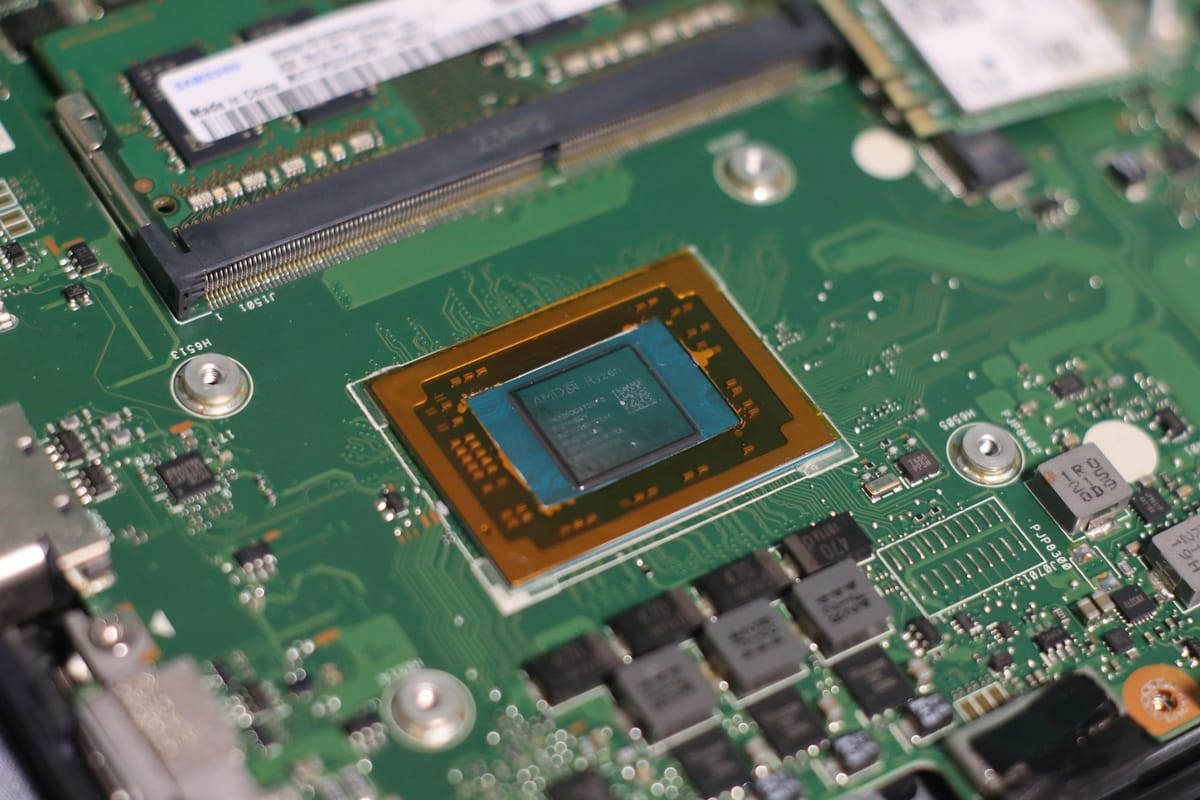
Strix Halo boxes keep coming up in conversations about local AI: mini PCs built around AMD's Ryzen AI Max+ 395 with up to 128GB of unified memory. They are also about to become part of my own setup. I run a mix of discrete GPU nodes for different use cases, both standalone and clustered, and Strix Halo nodes will be joining them soon. Those nodes are not in yet, so every benchmark number in this post comes from published results, checked against their original sources, with the ones that did not hold up left out.
The short version: memory bandwidth is a real limit, and nobody should expect datacenter speeds. But the remarkable part is that these machines can run very large models at all, on a single quiet box that costs a fraction of a multi-GPU rig with the same amount of memory.
The hardware and the price
The Ryzen AI Max+ 395 pairs 16 Zen 5 cores with a Radeon 8060S integrated GPU (40 compute units, LLVM target gfx1151) and a 256-bit LPDDR5X memory bus. The CPU and GPU share the same memory pool, so a 128GB machine can hand most of that to the GPU. That is what lets a roughly 60GB model like OpenAI's gpt-oss-120b load at all.
The one price I am willing to quote comes from the vendor's own page: on October 18, Framework's DIY Edition configurator listed the Max+ 395 with 128GB at $3,449, marked out of stock at the time. That is the DIY Edition configurator price, not a finished system with every option. Other vendors such as GMKtec, Beelink and Corsair sell boxes on the same chip, and several of the benchmarks below come from those.
Bandwidth is the real limit
When a model generates text, it has to read its active weights from memory for every token. On this platform that makes memory bandwidth the ceiling. The theoretical peak for a 256-bit bus at 8000 MT/s is 256 GB/s. Tester lhl, posting on the Level1Techs forum, measured "~215 GB/s max GPU MBW out of a 256 GB/s theoretical."
The visorcraft benchmark repository puts it bluntly in its key findings: "Bandwidth wall dominates on Strix Halo unified memory."
Why mixture-of-experts models are the sweet spot
This is where the picture gets much better. A dense model reads all of its weights for every token. A mixture-of-experts (MoE) model reads only the experts it activates, often a few billion parameters out of a hundred billion or more. On a bandwidth-limited machine, active parameters matter far more than total size.
The visorcraft results show it clearly. Its authors note that "active parameters predict tg well for MoE models on this platform," with roughly 61 to 86 tokens per second at 3B active, about 29 to 33 at around 10B active, and about 17 at 22B active. Meanwhile, the dense Llama 3.1 70B managed 5.1 tokens per second. Dense models in the 27B range landed between about 7.8 and 10.7 tokens per second across the How Quant and przbadu runs below.
In practice, that makes models like gpt-oss-120b, Qwen3-Coder-Next 80B-A3B and the Qwen3.5/3.6 35B-A3B family the natural fit, while large dense models are possible but slow.
The published numbers
A word of caution before the tables: these are not apples-to-apples comparisons. Each source used different machines, quantizations, backends, llama.cpp builds, power settings and test sizes. I grouped them by source and kept each setup next to its figure. Compare rows within a table, not across tables. "Prompt" is prompt processing (how fast the model reads input), and "generation" is how fast it writes output.
visorcraft/strix-halo-llm-perf
Setup: GMKtec EVO-X2 and Beelink GTR9 Pro, Fedora 43, kernel "6.18.x class," llama.cpp llama-bench. Tests are pp512 and tg128. The repository reports the "best observed configuration per model," so the backend (ROCm or Vulkan) varies by row, and it lists 120W as the usual winning power profile. Results were published in early 2026.
| Model | Setup | Prompt t/s | Gen t/s |
|---|---|---|---|
| Qwen3 30B-A3B (MoE) | Q4_K_M | 1,142 | 86.1 |
| Qwen3-Coder-Next 80B-A3B (MoE) | Q4_K_M | 531 | 42.7 |
| MiniMax M2.5, 229B (MoE) | Q3_K_M | 156 | 32.8 |
| Qwen3-235B-A22B (MoE) | Q3_K_M | 101 | 17.2 |
| Llama 3.1 70B (dense) | Q4_K_M | 81.6 | 5.1 |
The same repository says MiniMax M2.5 "sustains roughly ~30 t/s in llama-server usage with long-context configurations."
Framework community and ServeTheHome
The first row is a Framework community forum post by user Djip from September 19, 2025, using a ROCm 7 release candidate with WMMA flash attention; its figures are pp2048 and tg16. The second is from ServeTheHome's Framework Desktop review, which reported gpt-oss-120b at about 45 tokens per second in LM Studio with default settings.
| Model | Setup | Prompt t/s | Gen t/s |
|---|---|---|---|
| gpt-oss-120b (forum) | MXFP4, ROCm 7 RC, WMMA FA | 1,020 | 46.1 |
| gpt-oss-120b (STH) | MXFP4, LM Studio defaults | n/a | about 45 |
How Quant
Setup: Corsair AI Workstation 300, Ubuntu 24.04.4, kernel 6.18.36, llama.cpp commit c060ca974 (build 10603) for both backends, flash attention on, Balanced power mode, mean of five runs. Figures are pp2048 and tg128; the Vulkan rows used RADV from Mesa 26.1.7. Updated September 16, 2026.
| Model | Setup | Prompt t/s | Gen t/s |
|---|---|---|---|
| Qwen3.8-27B (dense) | Q8_0, ROCm 7.14 | 322.8 | 7.76 |
| Qwen3.8-27B (dense) | Q8_0, Vulkan RADV | 268.3 | 7.77 |
| Qwen3.6-35B-A3B (MoE) | Q8_0, ROCm 7.14 | 1,010.7 | 47.47 |
| Qwen3.6-35B-A3B (MoE) | Q8_0, Vulkan RADV | 973.6 | 54.22 |
przbadu/strix-halo-benchmarks
Setup: Unsloth UD quants, llama-bench at 512 prompt tokens and 128 generated tokens. The ROCm 7.2 run used Fedora with kernel 6.18.13 and llama.cpp build d417bc43 (8245). The Vulkan run used Proxmox with kernel 6.17.4 and does not list a llama.cpp build, so the two columns differ in more than the backend. Published March 2026.
| Model | Setup | pp512 (tok/s) | tg128 (tok/s) |
|---|---|---|---|
| Qwen3.5-27B (dense) | UD-Q4_K_XL, ROCm 7.2 | 264.3 | 9.96 |
| Qwen3.5-27B (dense) | UD-Q4_K_XL, Vulkan | 220.4 | 10.66 |
| Qwen3.5-35B-A3B (MoE) | UD-Q4_K_XL, ROCm 7.2 | 887.2 | 39.70 |
| Qwen3.5-35B-A3B (MoE) | UD-Q4_K_XL, Vulkan | 865.7 | 53.39 |
| Qwen3-Coder-Next (MoE) | UD-Q4_K_XL, ROCm 7.2 | 524.6 | 41.97 |
| Qwen3-Coder-Next (MoE) | UD-Q4_K_XL, Vulkan | 421.4 | 40.08 |
| GPT-OSS-120B | UD-Q8_K_XL, ROCm 7.2 | 499.4 | 42.06 |
| GPT-OSS-120B | UD-Q8_K_XL, Vulkan | 443.3 | 42.13 |
ROCm or Vulkan?
I went in expecting a simple rule, and there isn't one. The winner depends on the model and on whether you care more about reading the prompt or writing the answer.
How Quant, which held everything constant except the backend, found that ROCm processed prompts 19 to 22 percent faster on the dense 27B model while generation was a tie. On the MoE model, prompt speed was "within 4%," and Vulkan generated tokens 14.2 percent faster. przbadu saw bigger Vulkan generation leads on some MoE models (53.39 vs. 39.70 on Qwen3.5-35B-A3B) but a small ROCm lead on Qwen3-Coder-Next. visorcraft found ROCm best for prompt processing and Vulkan best for generation on its key models.
Phoronix tested AMD's Lemonade local AI server (version 2026.39.1, which uses llama.cpp b10825) on a Framework Desktop on October 5, 2026. Michael Larabel wrote that Vulkan "was still delivering consistently better performance than ROCm. Typically slightly better but consistent nevertheless," while "ROCm on the other hand was consistently achieving lower times to the first token over Vulkan, sometimes with very significant margins."
My take for coding agents, and it is an opinion rather than a rule: they send long prompts full of files and tool output, so time to first token and prompt processing matter a lot. That often tilts things toward ROCm for agent work, though not always. ROCm's prompt-processing lead was clear on How Quant's dense model but within 4% on its MoE test, so the stronger argument is Phoronix's Lemonade result, where ROCm consistently reached the first token sooner. Vulkan can be the better pick for chat-style use where generation speed dominates. It is worth testing both on your own model.
Ollama or a tuned llama.cpp?
Ollama is the easy path. Its GPU docs list "gfx1151 Ryzen AI Max+ 395" among supported ROCm targets, say "Ollama requires the AMD ROCm v7 driver on Linux," and note that Vulkan provides additional AMD GPU support. LM Studio is similarly friendly, and ServeTheHome's roughly 45 tokens per second on gpt-oss-120b came from its default settings.
Every number in the tables above, though, comes from llama.cpp builds where the tester chose the backend, build and flags. That control is the main reason to run llama.cpp directly: you can pick ROCm or Vulkan per model and follow upstream fixes quickly. I did not find an Ollama benchmark on Strix Halo from a source I would stand behind, so I can't put a number on the gap.
Tuning is not magic either. visorcraft reports that "speculative decoding, unified KV flags, no-mmap, and batch-size tuning produced negligible gains in this setup." How Quant, on the other hand, saw MTP speculative decoding more than double coding throughput on its dense 27B model with ROCm (7.62 to 15.67 tokens per second), with much smaller gains on the MoE model. Results depend heavily on the model.
AMD's official ROCm support
As of October 18, AMD's ROCm compatibility matrix for the current release, ROCm 10.1.0, lists the "AMD Ryzen AI Max+ 395 (Radeon 8060S) (gfx1151)" with "Supported Ubuntu versions 26.04.1 (kernel: GA 7.0) 24.04.5 (kernel: HWE 7.0)."
AMD's RDNA3.5 system optimization page adds kernel requirements for the Ryzen AI Max series, saying the fixes are needed so that compute workloads do not "fail to initialize or exhibit unpredictable behavior." The minimum kernels it lists are:
- Ubuntu 24.04 HWE: 6.17.0-19.19~24.04.2 or later
- Ubuntu 24.04 OEM: 6.14.0-1018 or later
- All other distributions: Linux kernel 6.18.4 or later
For AMD's pre-built binaries, the same page rates each ROCm release like this. "Ubuntu" covers the HWE and OEM kernels above plus Ubuntu 26.04 Generic; "Other" means other distributions by kernel version.
| ROCm | Ubuntu | Other, 6.18.4+ | Other, older |
|---|---|---|---|
| 10.0.0, 10.1.0 | Supported | Supported | Experimental |
| 7.14.0, 7.14.1 | Supported | Supported | Experimental |
| 7.2.1 to 7.2.4 | Supported | Supported | Experimental |
| 7.2.0 | Supported | Supported | Unsupported |
| 7.1.x, 6.4.x | Unsupported | Unsupported | Experimental |
AMD also notes that Fedora 43, Ubuntu 26.04 and Arch Linux 2026.02.01 ship the required fixes in their native packaging.
Unified memory and GPU allocation
This trips people up. AMD's RDNA3.5 page explains that the GPU's usable shared memory (the GTT pool) defaults to "approximately 50 percent of total system RAM." AMD recommends keeping the dedicated VRAM reservation in BIOS small, "for example, 0.5 GB," and raising the shared limit instead. It provides a helper tool for that:
sudo apt install pipx
pipx ensurepath
pipx install amd-debug-tools
amd-ttm
amd-ttm --set 100
The last command sets the usable shared memory in GB, in AMD's example 100GB on a 128GB machine, and it needs a reboot. amd-ttm --clear reverts to kernel defaults.
Practical setup notes
Building llama.cpp. The llama.cpp build docs give this HIP (ROCm) command. Their example targets gfx1030, so for Strix Halo, change GPU_TARGETS to gfx1151:
HIPCXX="$(hipconfig -l)/clang" HIP_PATH="$(hipconfig -R)" \
  cmake -S . -B build -DGGML_HIP=ON \
  -DGPU_TARGETS=gfx1151 -DCMAKE_BUILD_TYPE=Release \
  && cmake --build build --config Release -- -j 16
The Vulkan build is simpler:
cmake -B build -DGGML_VULKAN=ON
cmake --build build --config Release
Prebuilt containers. visorcraft's quick start uses the community kyuz0 toolbox images instead of building from source:
podman pull \
  docker.io/kyuz0/amd-strix-halo-toolboxes:vulkan-radv
Other servers. AMD-backed Lemonade lists ROCm and Vulkan llama.cpp backends, plus vLLM on ROCm for the "Strix Halo iGPU (gfx1151)." Its server speaks "standard OpenAI, Anthropic, and Ollama APIs."
Pairing it with coding agents
This is the use case that got the question started, and it is close to what I am working on: a little tooling around llama.cpp and LiteLLM for business and software-factory automation. The popular command-line coding agents can all point at a local server. Desktop tools that juggle several agents at once, like Orca (here is our look at it), simply launch these same CLIs, so the configuration below carries over.
Claude Code reads ANTHROPIC_BASE_URL and works with servers that speak Anthropic's Messages API. From Ollama's guide:
export ANTHROPIC_AUTH_TOKEN=ollama
export ANTHROPIC_API_KEY=""
export ANTHROPIC_BASE_URL=http://localhost:11434
LM Studio's docs use export ANTHROPIC_BASE_URL=http://localhost:1234 with ANTHROPIC_AUTH_TOKEN=lmstudio.
Codex has a local mode. OpenAI's docs say it can run against Ollama or LM Studio "when you pass --oss," with the default set in config.toml:
oss_provider = "ollama" # or "lmstudio"OpenCode takes any OpenAI-compatible endpoint. Its providers docs show this pattern for llama.cpp's llama-server in opencode.json (shortened):
"provider": {
  "llama.cpp": {
    "npm": "@ai-sdk/openai-compatible",
    "name": "llama-server (local)",
    "options": {
      "baseURL": "http://127.0.0.1:8080/v1"
    }
  }
}
How good are local models at actual coding? The most useful test I found is from a personal blog, so weigh it as one person's careful work, not an industry benchmark. Darren Soothill's Soot / Silicon ran 23 local model deployments through ten executable coding tasks on a 128GB GMKtec EVO-X3, with a 32,768-token context and a single first response per task. gpt-oss-120b (MXFP4) scored best at 9 of 10, at 21.2 seconds per task and 50.2 tokens per second. Qwen AgentWorld 35B-A3B (Q6_K) reached 8 of 10 at 7.2 seconds per task. The fastest decoder, Qwen3-Coder 30B-A3B (Q4_K_S) at 67.5 tokens per second, passed only five. His own summary: "the fastest decoder was not the most accurate."
My take
If you want frontier-model speed, a Strix Halo box isn't it, and the bandwidth numbers explain why. But being able to load a 120B-class model on one small machine, run it at 40-plus tokens per second, and point a coding agent at it without sending code to anyone's cloud is genuinely remarkable for a few thousand dollars.
When my Strix Halo nodes go in, I'll start with an MoE model like gpt-oss-120b or Qwen3-Coder-Next, use a ROCm release and kernel from AMD's supported list, raise the GTT limit with amd-ttm, and try both ROCm and Vulkan builds of llama.cpp on my own prompts before settling on one. After that comes the part I am most curious about: seeing where they fit next to the discrete GPU nodes, standalone and clustered, and wiring them into the llama.cpp and LiteLLM tooling I am building.
Sources: visorcraft/strix-halo-llm-perf, How Quant, przbadu/strix-halo-benchmarks, Framework community forum, ServeTheHome, Level1Techs forum, Phoronix, Soot / Silicon, AMD ROCm compatibility matrix, AMD RDNA3.5 system optimization, Ollama docs, Framework.