rosbackup-ng Reimagined: From Backup Script to RouterOS Management Platform
What began as a simple RouterOS backup script has evolved into a self-hosted management platform. This post explores the major refactor behind rosbackup-ng, its new modular architecture, the optional web platform, and what's next before the 1.0 release.
Some projects have a habit of growing far beyond their original scope.
When I first started rosbackup-ng over a decade ago, all I wanted was a reliable way to automate backups for MikroTik RouterOS devices. At the time, I wasn't trying to build a platform. I simply wanted something that produced binary and plaintext backups, could run against multiple routers in parallel.
It scratched my own itch.
As it turns out, it also solved a problem for a lot of other people.
Over the last year and a half, the project has steadily grown. Every release added another feature, another quality-of-life improvement, another request from users, or another problem I'd encountered in production. Eventually I reached a point where I wasn't spending most of my time building new functionality anymore. I was spending it working around architectural decisions that had made perfect sense when the project consisted of a few Python files.
That's usually a good sign that it's time to stop adding features and start improving the foundation.
 jd
jd
More Than a Refactor
Calling this latest work a "refactor" doesn't really do it justice.
The goal wasn't simply to clean up some code or split a few files into packages. I wanted to rethink how rosbackup-ng was structured while preserving everything that already worked well.
The original CLI remains, existing workflows continue to work, and the YAML configuration format is still familiar. Underneath, though, almost everything has been redesigned into a much more modular architecture that's significantly easier to maintain and extend.
That work isn't particularly glamorous, but it's probably the most important change the project has seen since it started.
Reliable Backups Were Always the Goal
At its core, rosbackup-ng is still a backup utility.
It creates both binary (.backup) and plaintext (.rsc) backups, supports encryption, stages backups in tmpfs to reduce flash wear where supported, and was built to continue working even across unreliable overlay networks like ZeroTier.
I've always cared more about reliability than flashy features.
Networks aren't perfect. VPNs flap. SSH sessions drop. Remote sites lose connectivity.
That's why a lot of time has gone into things users hopefully never have to think about: connection retry windows, TCP keepalives, operation-level reconnects, proper host key verification, secure defaults, encrypted backups, restrictive file permissions, and a healthy amount of automated testing.
Those aren't the features that get screenshots on social media.
They're the ones that make software dependable.
Growing Beyond Backups
As the project evolved, I found myself wanting features that went beyond simply creating backup files.
Managing hundreds of routers manually isn't much fun.
So rosbackup-ng has gradually become much more fleet-aware.
Devices can now be organized using tags and groups, making it easy to target entire customers, sites, or infrastructure classes. Backup storage has become completely pluggable, supporting local storage, SFTP, Nextcloud, S3-compatible object storage, and future backends through a clean plugin architecture. Each destination can have its own routing and retention policy, making off-site backup strategies much easier to implement.
It's a completely different experience compared to where the project started.
[+] Backing up 5000 targets
    ██████████░░░░░░░░░░░░░░░░░░░░ 1640/5000  33%   ✔ 1628  ✘ 12  ⠹ 48 running   2m14s   eta 4m31s

Active:
    ⠹ router-1641             Backing Up          1.2s
    ⠼ router-1642             Getting Info        0.4s
    … and 46 more running

Recent failures:
    router-0044, router-0210
A Better Experience for Large Deployments
One feature I didn't expect to spend so much time on was terminal output.
When you're backing up three routers, traditional logging works perfectly.
When you're backing up three thousand, it's chaos.
I wanted something that remained readable regardless of fleet size, so I built a compose-style interface that automatically adapts. Smaller environments get detailed per-device progress, while larger deployments switch to an aggregate dashboard showing throughput, ETA, active operations, and recent failures.
It's one of my favorite parts of the project because it solves a surprisingly common problem that most command-line tools simply ignore.
Introducing rosbackup-web
Probably the biggest addition during this refactor is the optional web platform.
One thing I wanted to avoid was creating yet another cloud service. Infrastructure administrators should be able to run their own tools inside their own environments.
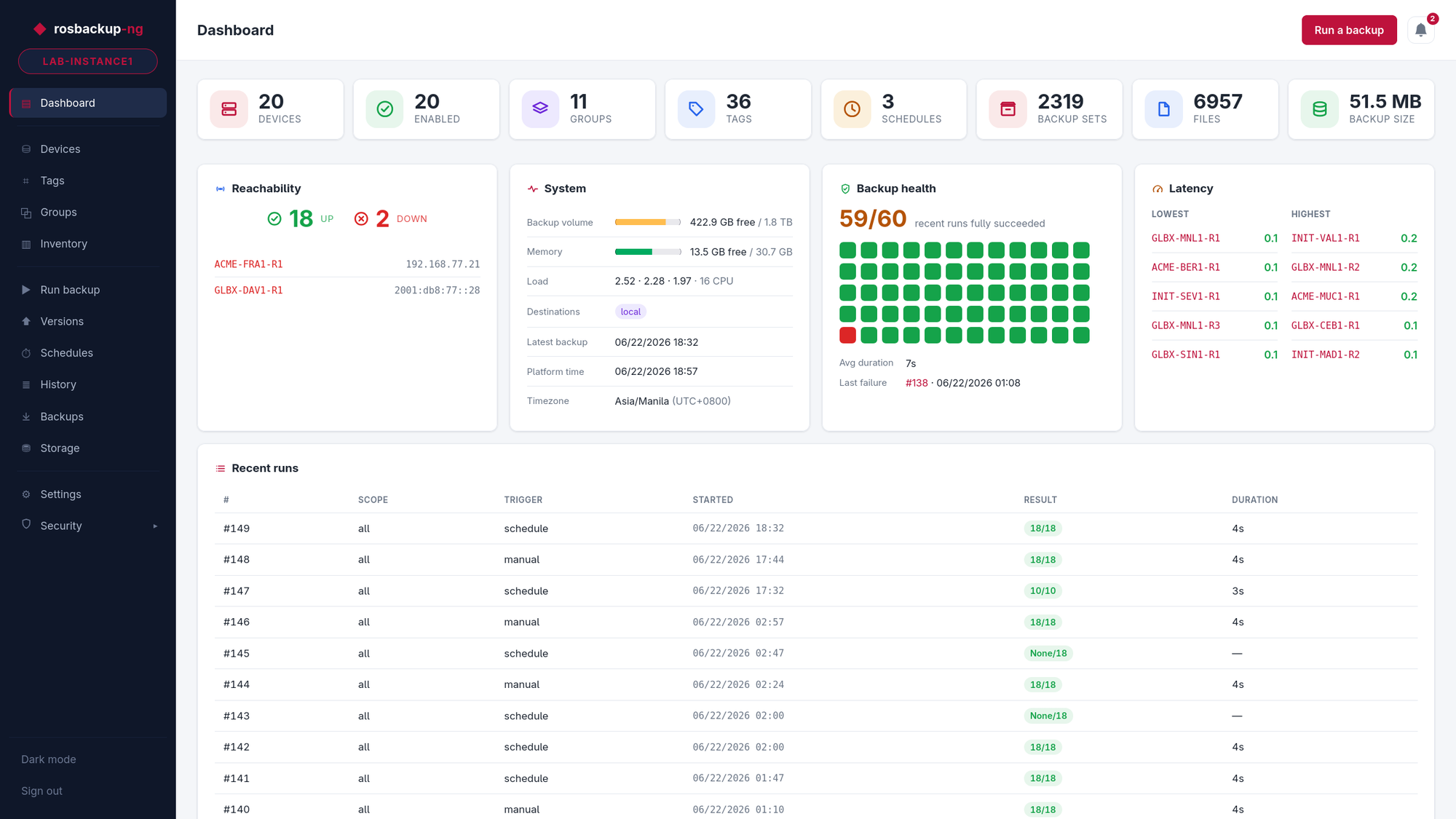
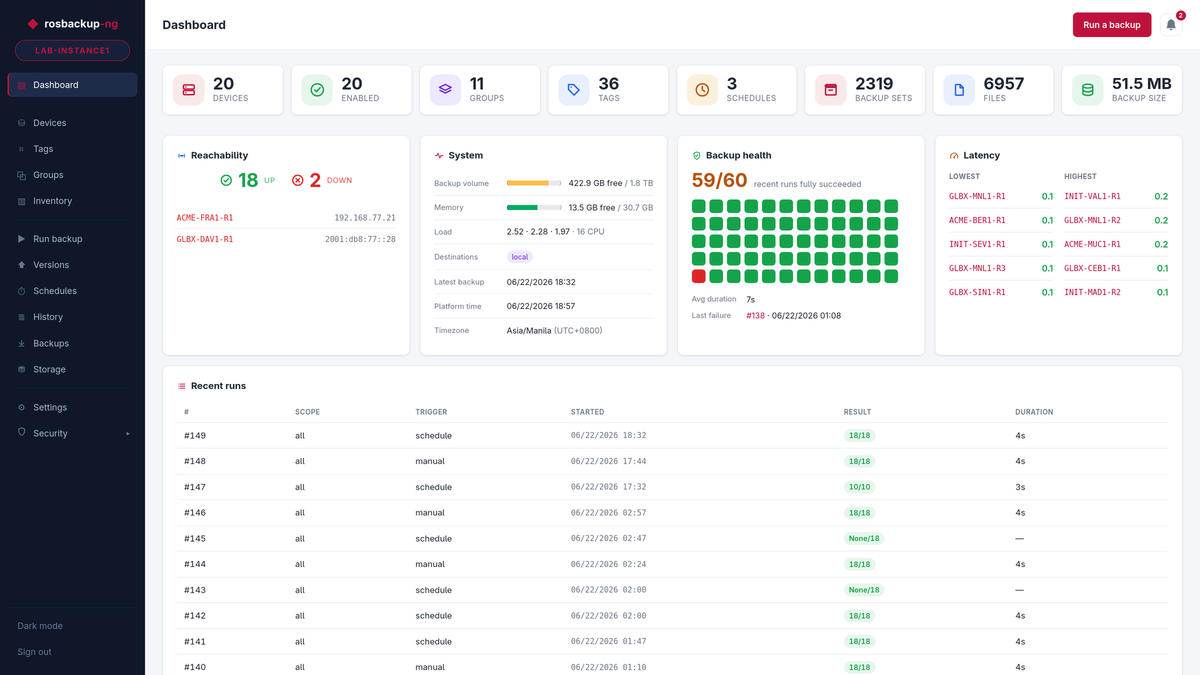
That's exactly what rosbackup-web does.
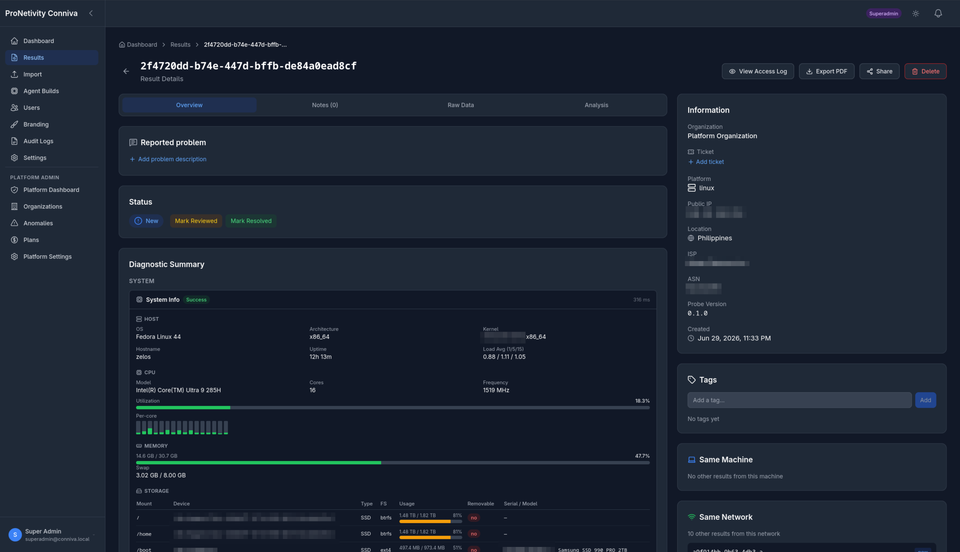
It shares the same backup engine as the CLI but adds a self-hosted dashboard, inventory management, scheduling, backup browsing, firmware upgrades, latency monitoring, API tokens, audit logging, an encrypted Vault for credentials, and a REST API for automation. Everything stays under your control.
One feature I'm particularly happy with is the guarded push-restore workflow.
Restoring a RouterOS backup is inherently risky, so the application treats it accordingly. Before anything destructive happens, it creates a fresh backup, verifies integrity, requires explicit confirmation, prevents concurrent operations, and records everything in the audit log.
Those extra safeguards don't exist because they're complicated.
They exist because everyone eventually has a bad day.
Getting Started
If you'd like to try rosbackup-ng, the quickest way is with Docker.
 jd
jd
Getting started with the rosbackup-ng docker compose stack.
The included deployment script sets everything up for you, including the optional web platform.
After that you'll have access to the dashboard, scheduling, backup browser, inventory management, firmware workflows, and the REST API. If Docker isn't your thing, rosbackup-ng can also be installed via pip, as a standalone Python zipapp, or directly from source.
Why It's Still Pre-1.0
You might notice the project is still marked as pre-1.0.
That's intentional.
The software is not yet considered stable enough for production use and I want to give myself room to keep refining the architecture before committing to long-term API and configuration compatibility.
I've learned over the years that it's much easier to get those decisions right now than to carry them forever.
Looking Ahead
Looking back, it's funny to think this all started as a backup script.
Today it's evolved into something much larger: a self-hosted RouterOS management platform that's designed to scale from a handful of devices to thousands.
There are still plenty of ideas on my list. Better reporting, richer inventory, additional automation workflows, and more operational tooling are all things I want to build.
The difference now is that I finally have an architecture that makes those ideas exciting instead of intimidating.
Sometimes the most valuable work you can do on a project isn't adding another feature.
Sometimes it's taking the time to build a foundation that's ready for everything that comes next.